
How to Schedule and Automate Food Menus Across Multiple TV Screens
Learn when it's time to upgrade from a USB drive to digital signage software, and how to easily automate daily specials and menu changes across your restaurant.
In our previous guide, we covered how to quickly display a food menu on a TV using a simple USB flash drive.
If your restaurant or cafe has exactly one screen, and your menu items or prices almost never change, a basic USB pen drive is perfectly sufficient for your needs. It’s free, it works, and it doesn’t require an internet connection.
But what happens when your business starts to grow?
Pulling out a USB drive, plugging it into a laptop, redesigning an image, saving it, and plugging it back into the TV is fine to do once a month. But if you’re doing that across three different screens every single week, you are losing valuable time that should be spent serving your customers.
Here is how to know when you’ve outgrown the “USB method,” and how you can easily automate your menu screens using modern digital signage software.
Signs It’s Time to Upgrade
You don’t need expensive, enterprise-level hardware to manage multiple screens. You just need the right software. You should consider opting for dedicated digital signage software if you tick any of these boxes:
1. You Have Multiple Screens
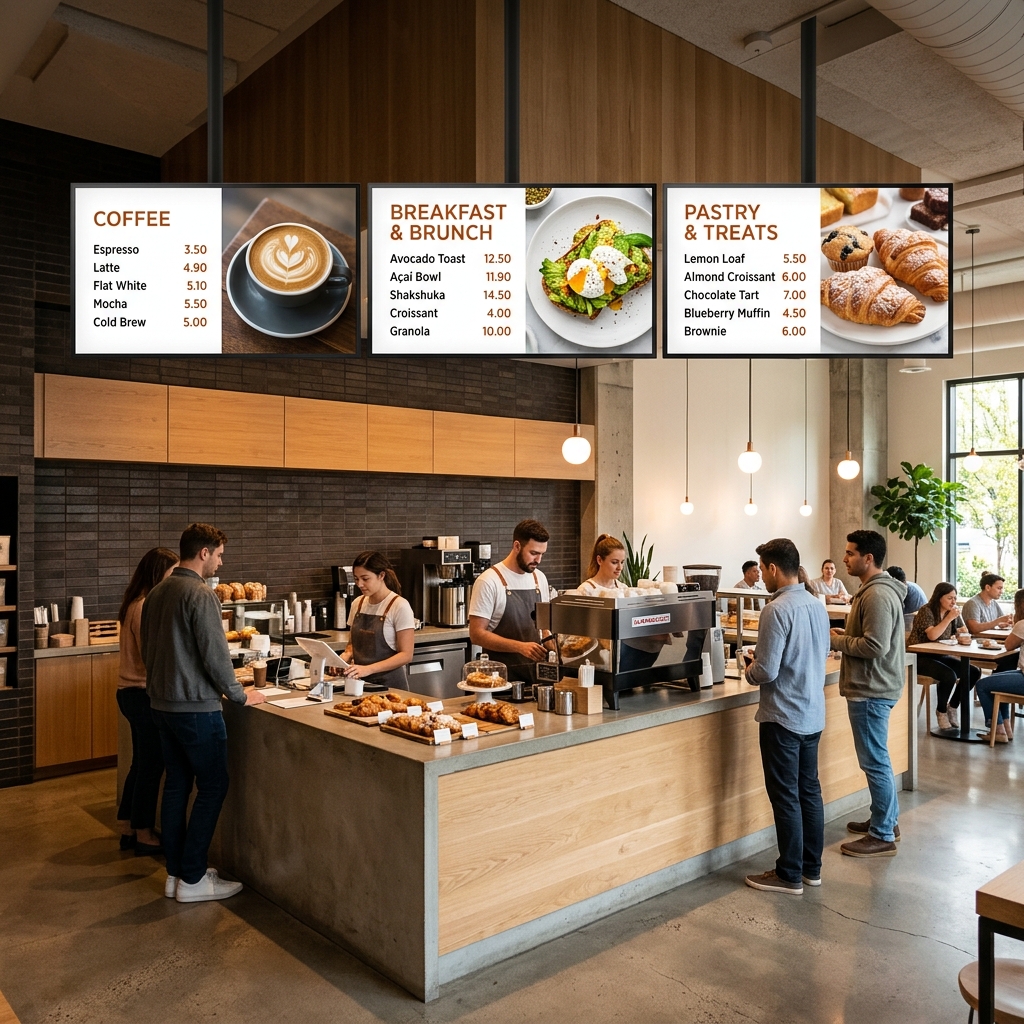
If you have a classic three-panel menu board above your counter (e.g., Drinks on the left, Mains in the middle, Sides on the right), updating three separate USB drives is a logistical nightmare. Software allows you to group screens together and manage them from a single dashboard.
2. Your Menu Changes Frequently
If your prices, items, or out-of-stock notices change at least once every 5 days, manual updates become exhausting. With software, you can update a price on your laptop in the back office, and the screen above the counter updates instantly. No ladders or USB drives required.
3. You Have Daily Specials or Offers
Running a “Taco Tuesday” or a “Weekend Special”? Without software, you have to remember to manually swap the menu image every Tuesday morning, and swap it back on Wednesday.
4. You Want to Day-Part (Schedule Menus)
If you serve breakfast until 11:00 AM and then switch to a lunch menu, manually changing the screen in the middle of a busy morning rush is incredibly stressful. You need the ability to schedule content so the screens switch menus automatically.
Automating Your Menus with Yugna
If you relate to any of the pain points above, this is exactly what Yugna was built to solve. Whether you plug in a standard media player or use a Smart TV directly, you can connect your screens to the cloud and control everything remotely from your laptop.
1. Monitor Everything with the Screens Dashboard
When you have multiple displays, you need a bird’s-eye view of your restaurant.
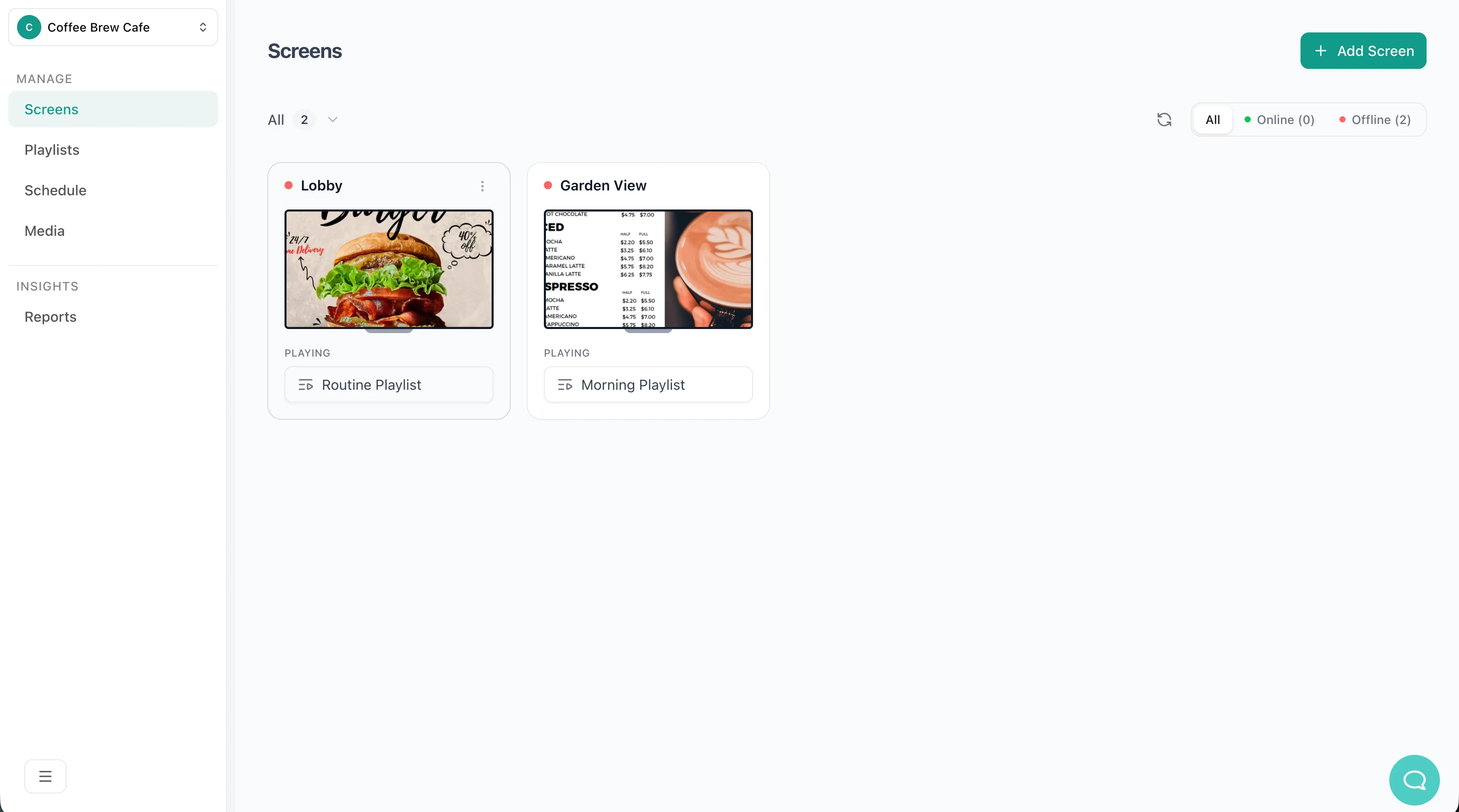
The Yugna Screens Dashboard lets you see exactly what is playing on every TV in real-time. Whether you have one cafe or ten locations across the city, you can monitor and update them all from a single window. No more wondering if the “Garden View” screen is still playing yesterday’s specials.
2. Set It and Forget It with Schedules
With Yugna’s intuitive visual scheduler, you don’t need to manually change playlists during the morning rush.
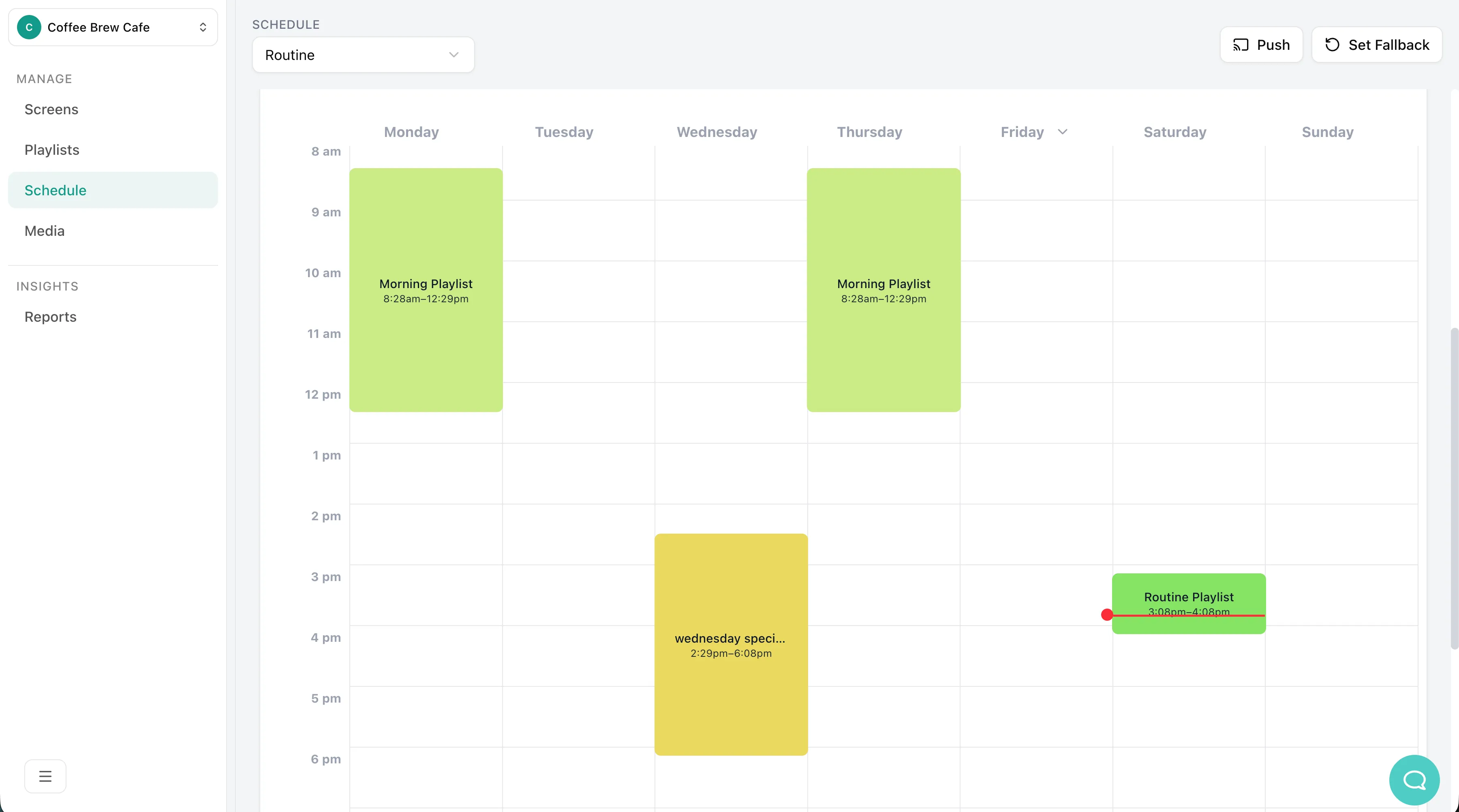
You can map out your entire week in advance. Simply set your “Morning Playlist” to run from 8:30 AM to 12:30 PM, and schedule your “Wednesday Special” for the afternoon. The software automatically switches the screens down to the exact minute, every single day, without you ever touching a remote.
3. Build Trust with Live Social Proof
Your digital menus don’t have to be completely static. With Yugna’s built-in apps, you can easily pull in live Google Reviews, your latest Instagram posts, or local news tickers.
Showcasing real-time five-star reviews or mouth-watering photos from your social feed directly next to your menu is one of the easiest ways to build trust, entertain customers waiting in line, and drive more sales.
Looking for simple, affordable digital signage?
Manage your screens effortlessly with Yugna. Have questions about your setup? Book a quick demo with us.